What can the dashcam mode do?
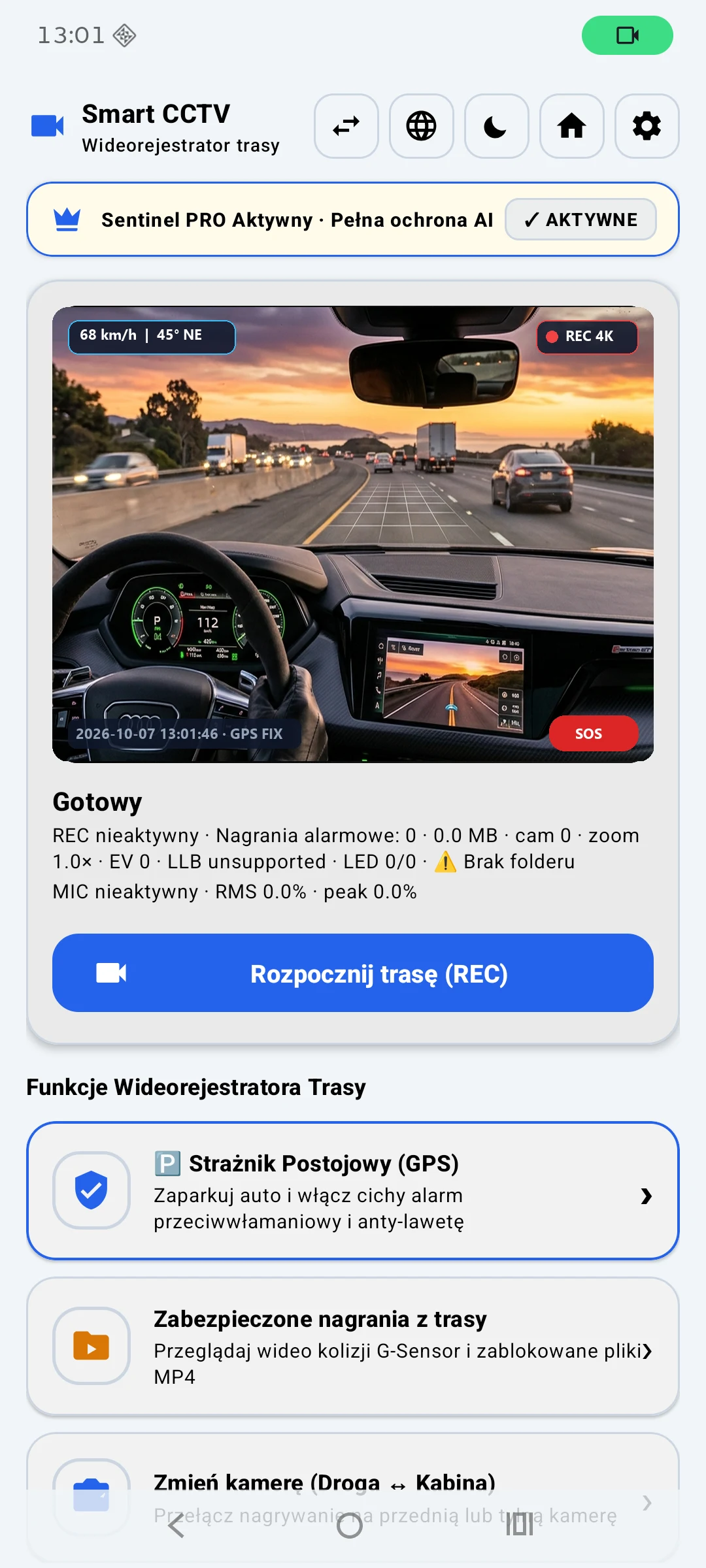
Sentinel AI describes loop recording, an on-screen GPS view and shock detection using phone sensors. Accuracy and availability vary across devices.
- Check the phone's sensors and location settings.
- Choose video quality and review GPS information.
- Make a short test journey and watch the recorded clip.
Prepare the phone for driving
Choose a sturdy mount that does not obstruct your view or interfere with airbags. Use reliable power and avoid placing the device in extreme heat.
- Clean the lens and adjust road framing.
- Check available storage before leaving.
- Never operate your phone while driving.
Loop recording and storage
Video files use a lot of storage. Review recording duration, overwrite rules and options for keeping important events. Check regularly that recording still works on longer journeys.
Phone versus dedicated dashcam
Reusing a phone can be convenient, but a purpose-built dashcam may work better for extended use in a hot car. Follow local rules on device placement and sharing recordings.